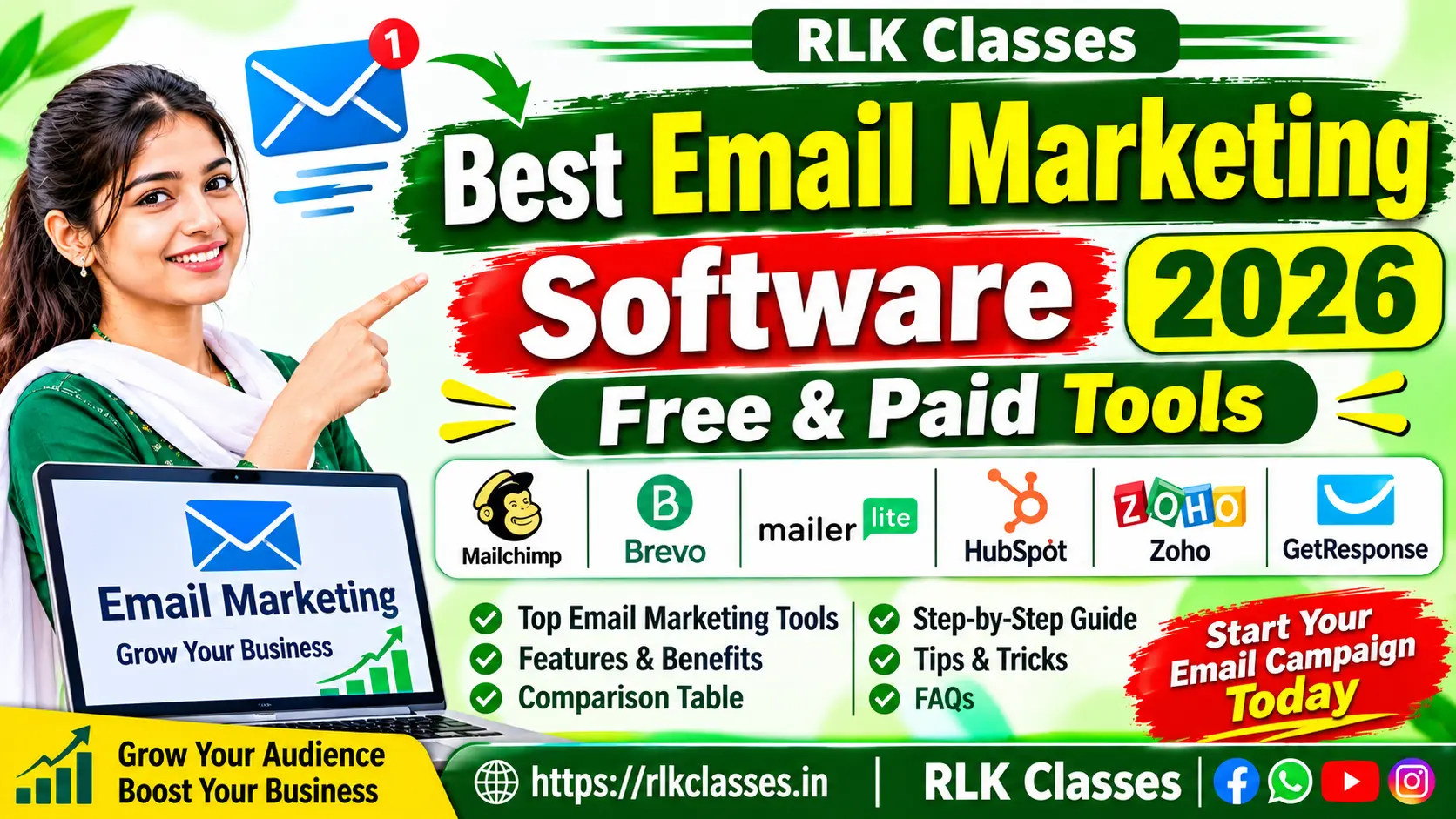
Email Marketing Softwares: Best Free & Paid Tools in 2026
अपने Business, Blog, Website और Online Store के लिए सही Email Marketing Software चुनें। जानें Best Email Marketing Tools, Features, Automation, फायदे, नुकसान और Beginners के लिए सही विकल्प।
Updated Guide: 2026 | Beginner to Advanced
Email Marketing Softwares आज के Digital Marketing के महत्वपूर्ण टूल्स में से एक है। इसकी मदद से कोई भी Blogger, Business Owner, Digital Marketer, Freelancer या Online Store अपने ग्राहकों और Subscribers तक Email के माध्यम से सीधे पहुँच सकता है। इन सॉफ्टवेयर की सहायता से Newsletter भेजना, Promotional Email Campaign चलाना, Welcome Email तैयार करना, Customer को Follow-up भेजना और Marketing Automation जैसे काम आसानी से किए जा सकते हैं।
यदि आपके पास Website, Blog, Online Business, Coaching Institute, E-commerce Store या कोई Digital Service है, तो Email Marketing आपके Audience के साथ लंबे समय तक संबंध बनाने में मदद कर सकती है। इस लेख में हम Best Email Marketing Softwares in 2026 के बारे में विस्तार से जानेंगे।
📧 Email Campaigns
एक साथ कई Subscribers को Newsletter और Promotional Emails भेजें।
⚙️ Automation
Welcome Email और Follow-up जैसे काम अपने आप करवाएँ।
📊 Analytics
Emails के Opens, Clicks और Campaign Performance को समझें।
👥 Subscriber Management
अपने Email Subscribers को अलग-अलग Groups में व्यवस्थित करें।
1. Email Marketing Softwares क्या है?
Email Marketing Softwares एक ऐसा Online Tool या Platform है जिसकी सहायता से आप अपने Customers, Readers और Subscribers को Email Campaign भेज सकते हैं। सामान्य Email Account से एक-एक व्यक्ति को Email भेजने के बजाय इन Platforms में Contact List बनाकर बड़े स्तर पर Campaign चलाए जा सकते हैं।
इन सॉफ्टवेयर में सामान्यतः Email Design Editor, Contact Management, Signup Forms, Campaign Scheduling, Automation और Performance Reports जैसे Features उपलब्ध होते हैं। अलग-अलग Software में इन सुविधाओं की उपलब्धता उनके Free या Paid Plan पर निर्भर करती है।
2. Email Marketing कैसे काम करती है?
Email Marketing की प्रक्रिया सामान्यतः कुछ चरणों में पूरी होती है। सबसे पहले आप अपनी Website या Landing Page पर Signup Form लगाते हैं। इच्छुक व्यक्ति अपनी सहमति से Email Address दर्ज करता है। इसके बाद उसका Email आपके Subscriber List में जुड़ जाता है। आप उस List को उपयोगी जानकारी, Newsletter या अन्य जरूरी Updates भेज सकते हैं।
- Audience बनाना: Website, Blog या Landing Page पर Signup Form लगाएँ।
- Permission लेना: लोगों की स्पष्ट सहमति से Email Address एकत्र करें।
- List तैयार करना: Subscribers को रुचि और जरूरत के अनुसार व्यवस्थित करें।
- Email Design करना: आकर्षक और उपयोगी Email तैयार करें।
- Campaign भेजना: सही समय पर Subscribers को Email भेजें।
- Performance देखना: Opens, Clicks, Bounces और Unsubscribes की रिपोर्ट देखें।
3. Best Email Marketing Softwares के मुख्य Features
1. Drag and Drop Email Builder
इस सुविधा से बिना Coding के Email Design तैयार किया जा सकता है। Text, Image, Button, Logo और अन्य Elements को आसानी से व्यवस्थित कर सकते हैं।
2. Email Automation
Automation की सहायता से किसी Subscriber के Signup करने, किसी Product में रुचि दिखाने या किसी निर्धारित समय पर Email भेजने जैसी प्रक्रियाएँ स्वचालित की जा सकती हैं।
3. Contact Management
Subscribers के नाम, Email Address और अन्य उपयोगी जानकारी को व्यवस्थित रखा जा सकता है। इससे Audience को अलग-अलग Groups में बाँटना आसान होता है।
4. Email Segmentation
सभी Subscribers को एक जैसा Email भेजना हमेशा सही नहीं होता। Segmentation की सहायता से अलग-अलग रुचि वाले लोगों को उनकी जरूरत के अनुसार Email भेजे जा सकते हैं।
5. Analytics and Reports
Campaign Reports में Delivered Emails, Opens, Clicks, Bounces और Unsubscribe जैसे Metrics देखे जा सकते हैं। इनसे Campaign की Performance समझने में सहायता मिलती है।
6. Signup Forms and Landing Pages
कई Platforms Signup Forms और Landing Pages बनाने की सुविधा देते हैं। इनकी मदद से Website Visitors को Subscribers में बदलने की प्रक्रिया आसान होती है।
7. A/B Testing
A/B Testing में Email के अलग-अलग Subject Lines या Content Versions का परीक्षण किया जाता है। इससे यह समझने में मदद मिलती है कि Audience किस प्रकार के Email पर बेहतर प्रतिक्रिया देती है।
4. Best Email Marketing Softwares in 2026
बाजार में कई Email Marketing Platforms उपलब्ध हैं। सभी Tools एक जैसे नहीं होते। कुछ Beginners के लिए सरल होते हैं, कुछ बड़े Business के लिए Advanced Automation देते हैं और कुछ E-commerce तथा Newsletter Creators के लिए उपयोगी होते हैं। नीचे प्रमुख Email Marketing Software की जानकारी दी गई है।
1. Mailchimp
Popular Email Marketing PlatformMailchimp एक लोकप्रिय Email Marketing Platform है। इसकी मदद से Businesses Email Campaigns, Newsletters, Audience Management और Marketing Activities को व्यवस्थित कर सकते हैं। इसका Visual Editor Email Design करने में मदद करता है।
मुख्य Features:
- Email Campaign Builder
- Contact और Audience Management
- Email Templates
- Campaign Analytics
- Marketing Integrations
किसके लिए उपयोगी? छोटे Businesses, नए Marketers और उन लोगों के लिए जो एक प्रसिद्ध Email Marketing Platform से शुरुआत करना चाहते हैं।
ध्यान दें: Free Plan में Contacts, Email Sends और Automation पर सीमाएँ हो सकती हैं। Plan लेने से पहले वर्तमान Limits जाँचें।
Visit Official Mailchimp2. Brevo
Email + CRM + MarketingBrevo एक Marketing Platform है जो Email Marketing के साथ CRM और अन्य Communication Features भी उपलब्ध कराता है। यह उन Businesses के लिए उपयोगी हो सकता है जिन्हें Customer Communication और Marketing को एक ही जगह व्यवस्थित करना है।
मुख्य Features:
- Email Campaigns और Newsletters
- Marketing Automation
- Contact Management और CRM
- Transactional Emails
- SMS Marketing सुविधाएँ, Plan के अनुसार
किसके लिए उपयोगी? Small Business, Service Providers और ऐसे Businesses जो Email के साथ CRM Features भी चाहते हैं।
ध्यान दें: Free Plan में Daily Email Sending Limit लागू हो सकती है। केवल Contact Limit देखकर Software न चुनें।
Visit Official Brevo3. MailerLite
Bloggers and CreatorsMailerLite एक सरल Email Marketing Platform है। इसका Interface साफ और उपयोग में आसान है। Bloggers, Content Creators और Small Businesses Newsletter, Signup Forms और Email Automation के लिए इसे देख सकते हैं।
मुख्य Features:
- Email Newsletter Builder
- Signup Forms
- Landing Pages
- Email Automation
- Campaign Reports
किसके लिए उपयोगी? Bloggers, Freelancers, छोटे Businesses और Newsletter शुरू करने वाले Creators।
ध्यान दें: Free Plan में Subscriber और Email Sending Limits के साथ कुछ Features सीमित हो सकते हैं।
Visit Official MailerLite4. HubSpot Email Marketing
CRM and MarketingHubSpot Email Marketing को CRM के साथ जोड़ने के लिए जाना जाता है। इससे Contact Records और Marketing Activities को एक साथ समझने में सहायता मिल सकती है। छोटे Teams और बढ़ते Businesses के लिए यह एक उपयोगी विकल्प हो सकता है।
मुख्य Features:
- Email Marketing Tools
- CRM Contact Management
- Email Personalization
- Campaign Reporting
- Marketing Automation सुविधाएँ, Plan के अनुसार
किसके लिए उपयोगी? उन Businesses के लिए जो Email Campaign के साथ Customer Relationship Management भी चाहते हैं।
Visit Official HubSpot5. Zoho Campaigns
Business Email CampaignsZoho Campaigns Email Marketing और Campaign Management के लिए बनाया गया Platform है। यदि आपका Business पहले से Zoho के दूसरे Products का उपयोग करता है, तो इसके Integrations उपयोगी हो सकते हैं।
मुख्य Features:
- Email Campaign Creation
- Subscriber Management
- Email Templates
- Automation Workflows
- Campaign Analytics
किसके लिए उपयोगी? Small और Medium Businesses तथा Zoho Ecosystem का उपयोग करने वाली Teams।
Visit Official Zoho Campaigns6. GetResponse
Email and Marketing FunnelsGetResponse Email Marketing के साथ Landing Pages, Automation और अन्य Marketing Tools उपलब्ध कराने वाला Platform है। यह उन लोगों के लिए उपयोगी हो सकता है जो Email Campaigns के साथ Marketing Funnels भी तैयार करना चाहते हैं।
मुख्य Features:
- Email Marketing Campaigns
- Autoresponders
- Marketing Automation
- Landing Pages
- Campaign Analytics
किसके लिए उपयोगी? Digital Marketers, Online Businesses और Marketing Funnels बनाने वाले Users।
Visit Official GetResponse7. Sender
Email Campaigns and AutomationSender Email Marketing और Automation के लिए एक अन्य विकल्प है। इसका उपयोग Newsletter, Promotional Campaign और Subscriber Communication के लिए किया जा सकता है।
मुख्य Features:
- Email Campaign Builder
- Automation Workflows
- Subscriber Segmentation
- Signup Forms
- Campaign Reports
किसके लिए उपयोगी? Bloggers, Small Businesses और कम बजट में Email Marketing शुरू करने वाले Users।
Visit Official Sender8. Kit (Formerly ConvertKit)
Creators and Newsletter PublishersKit Content Creators, Bloggers और Newsletter Publishers को ध्यान में रखकर बनाया गया Email Platform है। इसका उपयोग Audience Building और Newsletter Publishing के लिए किया जा सकता है।
मुख्य Features:
- Newsletter Publishing
- Subscriber Forms
- Audience Tagging
- Creator-focused Tools
- Digital Product Features, Plan के अनुसार
किसके लिए उपयोगी? Bloggers, Authors, Creators और Online Educators।
Visit Official Kit9. Omnisend
E-commerce MarketingOmnisend मुख्य रूप से E-commerce Businesses के लिए Email और अन्य Marketing Channels को जोड़ने पर केंद्रित है। Online Stores के लिए Customer Engagement और Shopping-related Campaigns में इसकी सुविधाएँ उपयोगी हो सकती हैं।
मुख्य Features:
- E-commerce Email Campaigns
- Automation Workflows
- Customer Segmentation
- Product-related Emails
- SMS और अन्य Channels, Plan के अनुसार
किसके लिए उपयोगी? Online Stores और E-commerce Brands।
Visit Official Omnisend5. Email Marketing Software Comparison Table
नीचे दी गई Table में प्रमुख Email Marketing Platforms के सामान्य उपयोग और उनके लिए उपयुक्त Audience का तुलनात्मक विवरण दिया गया है। यह कोई आधिकारिक Ranking नहीं है। सही विकल्प आपकी जरूरत, बजट और आवश्यक Features पर निर्भर करेगा।
| Software | Best For | Main Features | Starting Point |
|---|---|---|---|
| Mailchimp | Small Business | Campaigns, Templates, Reports | Free/Paid Plans |
| Brevo | Business and CRM | Email, CRM, Automation | Free/Paid Plans |
| MailerLite | Bloggers and Creators | Newsletter, Forms, Landing Pages | Free/Paid Plans |
| HubSpot | CRM-based Marketing | CRM, Email, Reporting | Free/Paid Plans |
| Zoho Campaigns | Small and Medium Business | Campaigns, Segmentation, Automation | Free/Paid Plans |
| GetResponse | Marketing Funnels | Email, Landing Pages, Automation | Trial/Paid Plans |
| Sender | Budget-conscious Users | Email, Forms, Automation | Free/Paid Plans |
| Kit | Creators and Authors | Newsletter, Audience Tools | Free/Paid Plans |
| Omnisend | E-commerce | Email, SMS, Store Automation | Free/Paid Plans |
6. Best Free Email Marketing Software
यदि आप पहली बार Email Marketing शुरू कर रहे हैं, तो शुरुआत में Free Plan का उपयोग करके Software को समझना एक अच्छा तरीका हो सकता है। लेकिन Free Plan चुनते समय केवल यह न देखें कि कितने Subscribers की अनुमति है। यह भी देखें कि आप महीने में कितने Emails भेज सकते हैं और Automation जैसी सुविधाएँ उपलब्ध हैं या नहीं।
- Brevo: Contact Management और Email Sending आधारित जरूरतों के लिए देखें। इसकी Daily Sending Limit पर विशेष ध्यान दें।
- MailerLite: Newsletter, Signup Forms और सरल Email Marketing के लिए देखें।
- Sender: Email Campaigns और Automation के विकल्पों के लिए जाँचें।
- HubSpot: CRM के साथ Email Marketing की जरूरत हो तो देखें।
- Mailchimp: छोटे स्तर पर Campaign Design और Email Marketing सीखने के लिए जाँचें।
- Kit: Creators और Newsletter Publishers के लिए उपयोगी विकल्प हो सकता है।
किसी भी Free Plan की Limits को स्थायी न मानें। Software Provider अपनी Pricing और Plan Features बदल सकते हैं। इसलिए Account बनाने से पहले उनकी Official Website पर वर्तमान शर्तें पढ़ें।
7. Email Marketing Software के फायदे
1. Audience से Direct Communication
Email के माध्यम से आप अपने Subscribers तक सीधे जानकारी पहुँचा सकते हैं। इससे Blog Updates, Product News और जरूरी Announcements साझा करना आसान होता है।
2. समय की बचत
Automation की सहायता से बार-बार भेजे जाने वाले Emails को पहले से तैयार किया जा सकता है। इससे नियमित Communication में समय की बचत हो सकती है।
3. Audience Segmentation
Subscribers को उनकी रुचि और गतिविधि के अनुसार अलग-अलग Groups में व्यवस्थित करके अधिक Relevant Content भेजा जा सकता है।
4. Performance Tracking
Reports की मदद से यह समझा जा सकता है कि कौन-से Campaign पर अधिक Clicks आए और किन Emails में सुधार की जरूरत है।
5. Business Growth में सहायता
उपयोगी और Relevant Emails के माध्यम से Customers को नए Products, Services, Offers और Updates के बारे में बताया जा सकता है। इससे Business के साथ Customer Relationship मजबूत करने में मदद मिल सकती है।
8. Email Marketing Software के नुकसान और सीमाएँ
Email Marketing Software उपयोगी हैं, लेकिन इनका प्रभाव सही उपयोग पर निर्भर करता है। कुछ सामान्य चुनौतियाँ इस प्रकार हैं:
- Free Plan में Subscribers और Email Sending की सीमाएँ हो सकती हैं।
- Advanced Automation और Segmentation के लिए Paid Plan की आवश्यकता हो सकती है।
- गलत तरीके से भेजे गए Emails Spam Folder में जा सकते हैं।
- बड़ी Subscriber List के साथ लागत बढ़ सकती है।
- कुछ Platforms में Free Emails के साथ उनका Branding Footer दिखाई दे सकता है।
- गलत या बिना अनुमति के जुटाई गई Email List से Deliverability और Compliance संबंधी समस्याएँ हो सकती हैं।
9. अपने Business के लिए सही Email Marketing Software कैसे चुनें?
सही Software चुनने से पहले अपनी जरूरतों को समझना जरूरी है। हर Business को महँगे या Advanced Platform की जरूरत नहीं होती। यदि आप केवल Newsletter भेजना चाहते हैं, तो सरल Tool पर्याप्त हो सकता है। यदि आपको CRM, Automation और E-commerce Integration चाहिए, तो अधिक Features वाला Platform चुनना बेहतर होगा।
इन 8 बातों की जाँच करें
- Subscriber Limit: आपके पास कितने Email Subscribers हैं और भविष्य में कितने हो सकते हैं?
- Email Sending Limit: एक महीने में कितने Emails भेजने की अनुमति है?
- Automation: क्या Welcome Email और Follow-up Workflow उपलब्ध हैं?
- Templates: क्या आपके काम के लिए पर्याप्त Email Templates हैं?
- Analytics: क्या Open, Click और Bounce Reports मिलती हैं?
- Integrations: क्या यह आपके Website, CRM या E-commerce Store से जुड़ सकता है?
- Deliverability: क्या Custom Domain Authentication और जरूरी Email Setup उपलब्ध हैं?
- Pricing: Subscribers बढ़ने पर लागत कितनी होगी?
10. Beginners के लिए Email Marketing शुरू करने की Step-by-Step Guide
Step 1: अपना उद्देश्य तय करें
सबसे पहले तय करें कि आप Email Marketing क्यों करना चाहते हैं। उदाहरण के लिए Blog Traffic बढ़ाना, Newsletter भेजना, Online Course की जानकारी देना या Products और Services का प्रचार करना।
Step 2: सही Platform चुनें
अपनी जरूरत और बजट के अनुसार Mailchimp, Brevo, MailerLite, Sender या किसी अन्य Platform का चयन करें। शुरुआत में Free Plan या Trial उपलब्ध हो तो उसकी शर्तें पढ़कर परीक्षण कर सकते हैं।
Step 3: Subscriber Signup Form बनाएँ
Website पर ऐसा Form लगाएँ जहाँ Visitor अपनी इच्छा से Newsletter के लिए Subscribe कर सके। Form में जरूरी जानकारी ही माँगें और यह स्पष्ट करें कि Subscriber को किस प्रकार के Emails मिलेंगे।
Step 4: Welcome Email तैयार करें
जब कोई व्यक्ति Subscribe करे, तो उसे एक Welcome Email भेजें। इसमें अपना परिचय, Newsletter का उद्देश्य और आगे मिलने वाली जानकारी के बारे में बताएँ।
Step 5: उपयोगी Content भेजें
Subscribers को नियमित रूप से उपयोगी और Relevant Content भेजें। केवल Promotional Emails भेजने के बजाय Tips, Guides, Updates और महत्वपूर्ण जानकारी भी साझा करें।
Step 6: Reports का विश्लेषण करें
हर Campaign के बाद Reports देखें। Subject Line, Email Content और CTA में जरूरी सुधार करें। ध्यान रखें कि Email Open Rate जैसे Metrics पर Privacy Features का प्रभाव पड़ सकता है, इसलिए केवल एक Metric के आधार पर सफलता तय न करें।
11. Email Deliverability क्या है और यह क्यों जरूरी है?
Email Deliverability का अर्थ है कि आपका Email सही तरीके से प्राप्तकर्ता के Mail Server तक पहुँचे और Inbox में पहुँचने की संभावना अच्छी रहे। केवल Email भेज देना पर्याप्त नहीं है। यदि आपके Emails बार-बार Spam में जा रहे हैं, तो आपकी Marketing का प्रभाव कम हो सकता है।
Deliverability सुधारने के लिए कुछ जरूरी बातों का ध्यान रखें:
- केवल Permission-based Subscribers को Email भेजें।
- अपने Domain के लिए SPF, DKIM और DMARC जैसे Authentication Records सही तरीके से Configure करें।
- ईमेल में स्पष्ट Sender Name और Subject Line रखें।
- पुराने और Invalid Email Addresses को नियमित रूप से साफ करें।
- Unsubscribe का स्पष्ट और काम करने वाला विकल्प दें।
- भ्रामक Subject Lines और अनावश्यक Promotional Content से बचें।
- अपनी Subscriber List को खरीदे हुए या बिना अनुमति वाले Contacts से न भरें।
12. Email Marketing में होने वाली सामान्य गलतियाँ
गलती 1: बिना Permission Email भेजना
किसी की अनुमति के बिना Promotional Emails भेजना गलत तरीका है। इससे Spam Complaints और Deliverability की समस्याएँ बढ़ सकती हैं।
गलती 2: केवल Promotion करना
हर Email में Product या Service बेचने की कोशिश न करें। Subscribers को उपयोगी जानकारी भी दें।
गलती 3: Mobile Friendly Design न बनाना
कई लोग Mobile पर Emails पढ़ते हैं। इसलिए Email का Layout, Text और Buttons छोटे स्क्रीन पर भी सही दिखाई देने चाहिए।
गलती 4: Analytics को अनदेखा करना
Campaign भेजने के बाद उसकी Performance जरूर जाँचें। Reports से यह समझने में मदद मिलती है कि कहाँ सुधार करना चाहिए।
गलती 5: Unsubscribe विकल्प न देना
Subscribers को Email List से बाहर निकलने का आसान विकल्प देना जरूरी है। लागू कानून और Email Provider की नीतियों का पालन करें।
13. Bloggers और Website Owners के लिए Email Marketing
यदि आपका अपना Blog या Website है, तो Email Marketing आपके Readers के साथ नियमित संपर्क बनाए रखने में मदद कर सकती है। उदाहरण के लिए जब आप नया Article Publish करते हैं, तो Subscribers को उसका Update भेज सकते हैं। इससे आपकी Website पर वापस आने वाले Readers का एक स्थायी समूह तैयार करने में मदद मिल सकती है।
एक Blogger निम्न प्रकार के Emails भेज सकता है:
- New Blog Post Notification
- Weekly Newsletter
- Important Website Updates
- Free E-book या Learning Resources
- Course और Digital Product Updates
- Special Offers और Announcements
RLK Classes – Educational Resources
शिक्षा, शिक्षक प्रशिक्षण और Lesson Plan से संबंधित उपयोगी सामग्री के लिए RLK Classes पर उपलब्ध Resources भी देख सकते हैं।
Visit RLK Classes Lesson Plan PDF Store Digital Marketing kya hai14. Email Marketing के लिए उपयोगी External Resources
Email Marketing को बेहतर तरीके से समझने और सही Platform चुनने के लिए इन आधिकारिक Websites को देखें:
- Mailchimp Official Website – Email Campaign और Audience Tools।
- Brevo Official Website – Email Marketing और CRM।
- MailerLite Official Website – Newsletter और Signup Forms।
- HubSpot Email Marketing – CRM और Email Marketing Tools।
- Zoho Campaigns – Email Campaign Management।
- GetResponse – Email और Marketing Automation।
- Sender – Email Campaigns और Automation।
15. Email Marketing Software: कौन-सा Tool किसके लिए बेहतर है?
| आपकी जरूरत | देखने योग्य Software | क्यों देखें? |
|---|---|---|
| Blog Newsletter | MailerLite, Kit | Newsletter और Audience Building |
| Small Business | Brevo, Mailchimp | Campaign और Contact Management |
| CRM Integration | HubSpot, Brevo, Zoho | Customer Data और Marketing |
| Marketing Automation | Brevo, GetResponse, Sender | Automated Workflows |
| Content Creators | Kit, MailerLite | Newsletter और Subscriber Growth |
| E-commerce Store | Omnisend, Brevo | Store-related Campaigns |
यह सुझाव सामान्य उपयोग के आधार पर हैं। अंतिम चुनाव से पहले अपने आवश्यक Integrations, वर्तमान Plan Limits, Support और कुल लागत की तुलना अवश्य करें।
16. Frequently Asked Questions (FAQs)
Q1. Email Marketing Softwares क्या होता है?
Email Marketing Software एक Online Platform है जिसकी मदद से Businesses और Bloggers अपने Subscribers को Newsletter, Updates और Promotional Emails भेज सकते हैं।
Q2. Best Email Marketing Softwares कौन-सा है?
एक ही Software सभी के लिए Best नहीं होता। Bloggers के लिए MailerLite या Kit, CRM जरूरतों के लिए HubSpot या Brevo और E-commerce के लिए Omnisend जैसे विकल्प देखे जा सकते हैं।
Q3. क्या Free Email Marketing Softwares उपलब्ध हैं?
हाँ, कई Platforms Free Plans या Free Tiers देते हैं। लेकिन इनमें Subscriber Limit, Email Sending Limit, Automation और अन्य Features सीमित हो सकते हैं।
Q4. Beginners के लिए कौन-सा Email Marketing Tool अच्छा है?
Beginners MailerLite, Brevo, Sender या Mailchimp जैसे Platforms को उनकी वर्तमान Free Plan सुविधाओं के आधार पर आजमा सकते हैं।
Q5. Email Marketing और Bulk Email में क्या अंतर है?
Bulk Email का अर्थ बड़ी संख्या में Emails भेजना है। Email Marketing में इसके साथ Audience Segmentation, Personalization, Automation और Campaign Analytics जैसे तरीके भी शामिल होते हैं।
Q6. क्या Email Marketing से Website Traffic बढ़ सकता है?
हाँ, यदि Subscribers आपकी सामग्री में रुचि रखते हैं, तो नए Articles और उपयोगी Resources के Links Email से भेजकर Website Visits बढ़ाने में सहायता मिल सकती है। परिणाम Content और Audience की रुचि पर निर्भर करते हैं।
Q7. Email Marketing के लिए कितने Subscribers होने चाहिए?
शुरुआत करने के लिए कोई निश्चित न्यूनतम संख्या जरूरी नहीं है। आप कुछ वास्तविक और अनुमति देने वाले Subscribers के साथ भी Newsletter शुरू कर सकते हैं।
Q8. क्या Email Marketing के लिए Website जरूरी है?
Website होना उपयोगी है, लेकिन कुछ Platforms Signup Forms और Landing Pages उपलब्ध कराते हैं। इनके माध्यम से भी Subscriber List बनाई जा सकती है।
Q9. Email Marketing Automation क्या है?
Email Automation एक ऐसी सुविधा है जिसमें पहले से निर्धारित नियमों के अनुसार Emails अपने आप भेजे जाते हैं, जैसे Signup के बाद Welcome Email।
Q10. Email Marketing Softwares खरीदने से पहले क्या जाँचना चाहिए?
Subscriber Limit, Email Sending Limit, Automation, Templates, Integrations, Deliverability, Support और Pricing की जाँच करनी चाहिए।
निष्कर्ष (Conclusion)
Email Marketing Softwares Bloggers, Small Businesses, Digital Marketers, Online Stores और Content Creators के लिए उपयोगी Digital Marketing Tools हैं। इनकी मदद से Subscriber List बनाना, Newsletter भेजना, Email Campaign तैयार करना, Marketing Automation और Campaign Reports को व्यवस्थित करना आसान हो सकता है।
यदि आप शुरुआत कर रहे हैं, तो पहले अपनी जरूरत समझें और Free Plan या Trial के माध्यम से किसी Platform को जाँचें। Mailchimp, Brevo, MailerLite, HubSpot, Zoho Campaigns, GetResponse, Sender, Kit और Omnisend में से सही विकल्प वही होगा जो आपके काम, बजट और भविष्य की जरूरतों के अनुरूप हो।
Start Your Email Marketing Journey
एक सही Email Marketing Tool चुनें, अपनी Audience बनाएँ और उपयोगी Content के माध्यम से Subscribers के साथ बेहतर संबंध विकसित करें।
Explore Email Marketing ToolsAuthor: RLK Classes